EventStudio — Community Edition
Download EventStudio Community Edition
Free Visual Studio Code extension for Windows and macOS. Author sequence diagrams in a focused text-first editor.
Prerequisites
- Visual Studio Code
- PC running Windows 10 or higher, or Mac running macOS Catalina or higher
Get started
-
Download and install Visual Studio Code.
-
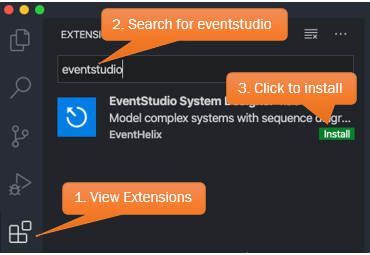
Launch Visual Studio Code and install the EventStudio extension from the Marketplace.
-
Refer to the User's manual to create your first model.
Download archive
Older standalone releases of EventStudio: